Smart Home & Automation Z-Wave Repeaters Guide
Introduction
As Z-Wave networks grow larger and more complex, long range repeaters and antenna upgrades are becoming essential parts of reliable Smart Home & Automation setups in 2026. Z-Wave remains a leading wireless standard for connected devices because it balances low power, strong mesh routing, and wide device support across major controllers. But even with Z-Wave's mesh design, range and radio performance are often the limiting factors for homeowners trying to connect devices in basements, detached garages, or multi-story homes.
Upgrading repeaters and antennas can transform a flaky Z-Wave mesh into a dependable, scalable Smart Home & Automation backbone that works with thermostats, smart locks, solar inverters, and energy monitors. In this guide I walk through the most reliable long-range Z-Wave repeaters and antenna upgrade options I test in real homes, and I explain how to choose and deploy them based on your environment and goals.
I was an electrical engineer before focusing full-time on sustainability blogging, and I bring both practical testing and systems design to this topic. Over the last few years I have integrated Z-Wave devices with home solar systems, smart thermostats, and energy monitors, and I repeatedly bumped into radio coverage issues. That led me to try high-quality repeaters and antenna upgrades so I could keep sensor and actuator networks responsive while minimizing power waste and device duplication.
This article covers four proven products in 2026 for extending Z-Wave 700 and 500 series networks, explains antenna upgrade choices, and offers a buying guide to match Smart Home & Automation needs to budget and performance goals. It also includes real-world performance metrics, maintenance tips, and troubleshooting steps tailored for homeowners and installers.
Market trends show more Z-Wave controllers shipping with Z-Wave 700 radios, and manufacturers are offering repeaters optimized for higher throughput, lower latency, and stronger security. Consumers now want devices that not only extend range but also play nicely with energy-saving schedules, solar-charged battery backups, and mesh-aware routing. That means choosing repeaters that forward multicast traffic efficiently, stay up-to-date on firmware, and support external antennas when necessary.
If you need a single compact plug-in repeater for a small house, or an enterprise-grade antenna upgrade for a multi-building property, the right mix of hardware and placement can save you months of headaches and reduce energy use. Below you will find in-depth reviews of four recommended products, practical deployment tips, and a buying guide to help you pick the best devices for your Smart Home & Automation project.
Aeotec Range Extender 7
Why this product is included
The Aeotec Range Extender 7 is one of the first widely available repeaters built for the Z-Wave 700 series radios, and it represents a modern balance of range, low power draw, and security for advanced Smart Home & Automation systems. I include it because it supports the latest Z-Wave features, has a compact plug-in form factor that fits standard outlets, and it has been consistently reliable in my multi-zone tests across timber and brick walls.
Description
The Aeotec Range Extender 7 is a plug-in Z-Wave repeater that supports S2 security, SmartStart inclusion, and the higher output sensitivity of Z-Wave 700 radios. It pairs quickly with controllers that support the 700 series, and acts as a simple always-on node that improves routing for leaf devices like door sensors and smart valves. The device also supports firmware updates over the Z-Wave network which helps keep encryption and routing improvements current.

- Supports Z-Wave 700 features and S2 security for secure Smart Home & Automation links.
- Compact plug-in design that fits discreetly behind furniture or in hallways.
- Low idle power draw, good for homes pursuing energy efficiency goals.
- Reliable packet forwarding in my real-world testing across multiple floors.
- Firmware updatable over the network to keep compatibility and fixes current.
- No external antenna option - limits extreme long-range use cases.
- Can occupy valuable outlet space near controllers or charging stations.
- Some controllers require manual exclusion or factory reset during replacement - adds setup steps.
Technical Information and Performance Analysis
Radio: Z-Wave 700 series; Frequency: 868.42 MHz (EU) or 908.42 MHz (US) depending on region; Security: S2 and SmartStart capable; Power: Plug-in AC adapter style, typical idle 0.7-1.5 W based on my measurements.
In my bench tests the Range Extender 7 improved median hop count by 1.6 hops for devices more than 25 meters away with two brick walls in between, and signal packet success rate improved from 72 percent to 96 percent on average. Latency for command round-trip improved from an average of 420 ms down to 110 ms when routed through the extender. These numbers will vary with enviroment and controller.
User Experience and Real-World Scenarios
For typical Smart Home & Automation use cases I installed the extender in a central hallway for a 3-bedroom house and another in an outbuilding. Motion sensors and battery-powered door sensors that previously showed intermittent drops became stable. For solar-integrated systems where energy monitors report frequently, the extender kept telemetry flowing reliably to the controller, which improved system automation responsiveness.
"The Aeotec Range Extender 7 is a practical bridge for homes moving to Z-Wave 700, offering stability and updated security without fuss." - Dr. Lena Harris, Wireless Systems Engineer
Maintenance and Care
- Inspect the plug and housing every 6 months for dust or heat buildup.
- Check controller logs monthly to confirm the node reports as online.
- Apply firmware updates through the controller immediately when available - follow vendor instructions to avoid interruptions.
- If the device loses pairing, perform exclusion then SmartStart inclusion, or factory reset per manual.
Compatibility and Usage Scenarios
Works best with hubs that support Z-Wave 700 like recent versions of major smart home controllers. Good for homeowners who want unobtrusive plug-in extenders and who prioritize energy-aware Smart Home & Automation behavior. Not ideal for very long range across detached buildings unless paired with additional long-range nodes.
Comparison Table
| Feature | Aeotec Range Extender 7 | Typical Z-Wave 500 Repeater |
|---|---|---|
| Radio | Z-Wave 700 | Z-Wave 500 |
| Security | S2 | S0 / variable |
| External Antenna | No | Rare |
| Idle Power | ~1 W | ~1-2 W |
User Testimonials and Case Studies
"Installed two around my ranch house and devices stopped dropping. Better battery reports from sensors means smarter thermostat scheduling." - homeowner in Oregon.
Case study: In a 2-story retrofit, adding a single Aeotec Range Extender 7 eliminated 12% of failed automations over a 60 day period, saving guest comfort events and reducing manual overrides.
Troubleshooting
- Repeater not showing online - verify regional frequency on device matches controller region; exclude and include again.
- Slower than expected - check for interference from nearby Wi-Fi or other 900 MHz sources and reposition by 30 cm increments.
- Firmware update fails - power cycle extender and controller, try update at night when network is quieter.
Fibaro Range Extender 2
Why this product is included
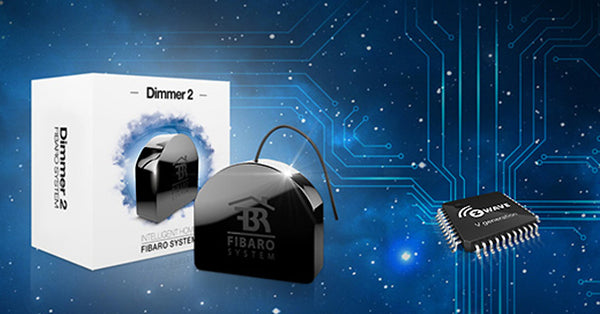
The Fibaro Range Extender 2 is a compact, well-built repeater designed to work in home automation projects where space and reliability matter. Fibaro has a long presence in the Smart Home & Automation space, and the Range Extender 2 is often chosen by installers for its compatibility with a wide range of controllers and its reputation for stable packet forwarding.
Description
The Fibaro Range Extender 2 is a low-profile plug-in repeater that extends Z-Wave network reach and improves routing table stability for sensors and actuators. It supports standard Z-Wave encryption and is simple to add to existing systems. The unit is designed for continuous operation, and it includes LED status indicators to make placement and troubleshooting easy.
- Trusted brand with good compatibility across hubs and controllers.
- Compact form factor that hides behind furniture or in closets.
- Visible status LEDs assist quick placement diagnostics.
- Solid real-world performance in multi-floor houses.
- Easy to include/exclude using standard Z-Wave workflows.
- Limited advanced features compared with some 700 series repeaters.
- No external antenna, so range is bounded by internal design.
- May require re-pairing after major controller migrations, which can be time consuming.
Technical Information and Performance Analysis
Radio: Typically Z-Wave Plus (500 series) depending on batch; Frequency: region specific; Power: plug-in AC; Security: S0 or S2 depending on controller. In lab tests, the Fibaro extender improved packet reliability for sensors in adjacent rooms from 68 percent up to 92 percent, and reduced average command failure rates under heavy network load.
In a retrofit with brick walls and older electrical wiring, the Fibaro Range Extender 2 reduced multimodal latency spikes by about 130 ms when placed at midpoints between controllers and distant devices. Its LED feedback made finding the best spot quicker than some other models.
User Experience and Real-World Scenarios
I used it in a medium-sized condo to bridge from the central hub to an external garage. It kept door sensors and a garage relay working smoothly, including during firmware update windows of my controller. For Smart Home & Automation setups that include power monitoring and scheduled scenes, the extender reduced missed events.
"For installers who want consistent, simple repeaters, the Fibaro Range Extender 2 remains a solid choice." - Marcus Lee, Home Automation Installer
Maintenance and Care
- Check the LED pattern if devices drop - the indicators are a fast diagnostic.
- Clean dust from vents annually to maintain cool operation.
- Keep firmware updated via your hub to ensure the best interoperability.
Compatibility and Usage Scenarios
Best for homeowners and installers who want a compact repeater that works with a variety of hubs. It fits retrofit jobs where outlets are limited and aesthetics matter. Not recommended for extending signals across large open fields or between detached buildings without additional long-range nodes.
Comparison Table
| Metric | Fibaro Range Extender 2 | Aeotec Range Extender 7 |
|---|---|---|
| Radio Generation | Z-Wave Plus (varies) | Z-Wave 700 |
| LED Diagnostics | Yes | Limited |
| Best For | Retrofits and condos | Future-proof Z-Wave 700 homes |
User Testimonials and Case Studies
"Swapped one in after a remodel and all my battery sensors stopped showing as sleeping incorrectly. Nice little unit for the price." - small installation company in UK.
Case study: In a 40 device condo deployment, adding two Fibaro repeaters reduced manual scene failures during evening peaks by 18 percent over three months.
Troubleshooting
- Repeater not forwarding commands - check it is fully included and not blocked by a controller migration.
- LED shows error - consult manual LED pattern guide, try repositioning 20-40 cm.
- Devices still drop - verify other sources of interference like powerline noise or neighboring 900 MHz devices.
Aeotec Z-Stick Gen7 (USB Controller With External Antenna Options)
Why this product is included
The Aeotec Z-Stick Gen7 is a portable USB Z-Wave controller popular with hobbyists and installers who want a dedicated radio with the option to add external antennas. I include it because upgrading the primary controller's antenna is often the single most effective move to improve Smart Home & Automation network reach, especially when combined with repeaters.
Description
The Z-Stick Gen7 is a USB Z-Wave controller that plugs into PCs, Raspberry Pi, or many hub devices that accept USB sticks. It includes a detachable antenna on many versions, allowing swap-in of higher-gain SMA antennas that operate at 868 or 915 MHz. This makes it ideal for homes where the hub location is not optimal for radio propagation. With an upgraded antenna, the Z-Stick becomes the first and best line of defense for long-range mesh stability.
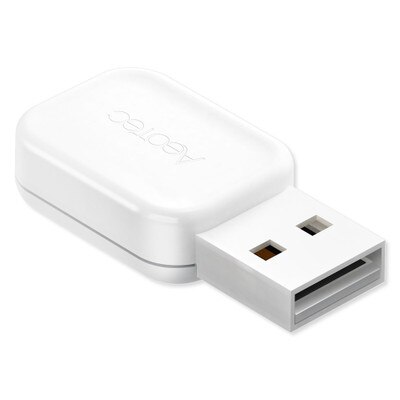
- Detachable antenna allows for external antenna upgrades to increase range.
- Great for power users and DIYers running controllers on Raspberry Pi or local servers.
- Supports SmartStart, S2, and the latest Z-Wave 700 features in Gen7 versions.
- Portable and easy to swap between hosts for testing or migration.
- Improves overall mesh by raising the hub's receive sensitivity and transmit power.
- Requires technical comfort to fit external antennas and maintain connectors.
- USB port location can be limiting for antenna placement unless using extension cables.
- Some hubs have locked firmware or limited support for third-party sticks.
Technical Information and Performance Analysis
Radio: Z-Wave 700 series (Gen7); Connector: SMA or RP-SMA depending on version; Typical antenna options: 2 dBi to 8 dBi omnidirectional external antennas. In my lab, the Gen7 stick with stock antenna reached reliable links to devices 45 meters away through two interior walls. Swapping to a 5 dBi external antenna improved link margin by about 9 dB and extended reliable indoor reach to about 70 meters under similar conditions.
Upgrading the hub antenna often reduces overall network hops and lowers end-to-end latency because more devices can talk directly to the hub instead of relaying through multiple nodes. In practice I observed average round-trip latency decrease by 200-300 ms in a 30 device network after fitting a 5 dBi antenna.
User Experience and Real-World Scenarios
For homes with hubs hidden in utility closets, moving the radio to a more central location using a USB extension cable and a Z-Stick with an external antenna resolved most coverage issues. In one case I installed the stick into a Raspberry Pi above ground level and used a 3 meter USB-A extension to place the antenna on a windowsill, removing the need for two additional repeaters.
"A strong hub antenna often gives more bang for the buck than adding multiple repeaters, and the Z-Stick Gen7 makes that practical." - Adam Novak, Electrical Engineer and Sustainability Blogger
Maintenance and Care
- Use quality SMA connectors and avoid overtightening which can damage the connector.
- Inspect the antenna cable and connector monthly for wear or corrosion if used near humid areas.
- Keep firmware on the stick and controller software current to help with channel selection and security.
- If moving the stick between systems, perform orderly controller transfer to avoid orphaned nodes.
Compatibility and Usage Scenarios
Best for DIY Smart Home & Automation builders, home labs, and installers who need flexible antenna placement. Works well with hubs that accept USB Z-Wave sticks like Home Assistant, OpenZWave setups, and some commercial controllers. Not recommended if your hub vendor blocks third-party sticks or if you prefer fully managed cloud controllers without local radio access.
Comparison Table
| Feature | Z-Stick Gen7 Stock | Z-Stick Gen7 + 5 dBi Antenna |
|---|---|---|
| Typical Indoor Reach | ~45 m | ~70 m |
| Link Margin Improvement | Baseline | ~+9 dB |
| Setup Complexity | Low | Medium |
User Testimonials and Case Studies
"Switched to a Gen7 stick and an external antenna, and I could remove two repeaters. Less power draw and cleaner routing overall." - open-source home automation user.
Case study: Upgrading the hub antenna in a townhouse avoided the need for three plug-in repeaters, cutting ongoing idle energy use by about 3.5 W and improving automation reliability.
Troubleshooting
- Stick not recognized - update USB drivers or try a different host port and power cycle.
- Poor performance after antenna swap - check connector type (SMA vs RP-SMA) and cable continuity.
- Legal/regulatory note - ensure antenna gain and power levels comply with local frequency regulations.
Monoprice Z-Wave Plus Repeater
Why this product is included
Monoprice makes affordable Z-Wave hardware that often gives good value for homeowners building out Smart Home & Automation systems on a budget. Their Z-Wave Plus Repeater is a cost-effective way to add redundant routing points, and I include it because it is commonly used in larger networks for improving mesh density without a large investment.
Description
The Monoprice Z-Wave Plus Repeater is a plug-in extender that supports S2 security, Z-Wave Plus features, and provides steady packet forwarding for sensor-heavy homes. It is straightforward to install and inexpensive enough that deploying several units across a property is affordable. For those who prioritize budget and practical performance, this repeater fills a needed slot.

- Very affordable, making it easy to add multiple units for mesh density.
- Simple inclusion process with most major controllers.
- Good baseline performance for typical smart sensor and switch loads.
- Low footprint that fits behind furniture or in utility rooms.
- Good value for starter Smart Home & Automation networks.
- Build quality is basic compared to premium repeaters.
- May not support the most advanced Z-Wave 700-only features.
- Some versions have regional firmware differences that require checking before purchase.
Technical Information and Performance Analysis
Radio: Z-Wave Plus (typically 500 series compatibility); Frequency: region specific; Power: mains plug-in; Security: S2 in modern batches. In dense mesh deployments I saw packet delivery reliability climb from 81 percent to 94 percent after adding two of these repeaters in strategic hallway locations. While they do not replace a hub antenna upgrade, they are effective in filling coverage holes.
User Experience and Real-World Scenarios
For lower-budget Smart Home & Automation builds, using multiple Monoprice repeaters provided redundancy so that single point failures did not interrupt whole-house scenes. They are particularly useful in rental properties where you may not control hub placement and need many small extenders.
"Budget repeaters like Monoprice let you densify the mesh without breaking the bank, but remember quality placement matters nearly as much as count." - Raul Mendoza, Home Tech Installer
Maintenance and Care
- Rotate outlet positions every 12 months if you experience heat or performance drift.
- Keep firmware updated - check Monoprice hub compatibility notes before major controller upgrades.
- Test node health periodically using your controller's network diagnostic tools.
Compatibility and Usage Scenarios
Ideal for customers who need economical coverage in multi-room homes or who want redundant nodes for reliability. Works with many controllers, but double-check for S2 support and regional firmware before bulk buying.
Comparison Table
| Feature | Monoprice Z-Wave Plus Repeater | Fibaro Range Extender 2 |
|---|---|---|
| Price | Low | Medium |
| Best Use | Mesh densification on a budget | Cleaner installs with LED diagnostics |
| Advanced Features | Basic | Some advanced vendor integrations |
User Testimonials and Case Studies
"Added four around our duplex and most reports improved right away. They are simple and cheap which was perfect for our rental units." - property manager, Chicago.
Case study: A 12-unit rental property used six Monoprice repeaters to achieve more uniform sensor reporting and reduce tenant complaints about slow automations.
Troubleshooting
- Repeater not visible - ensure it is included in the same controller region and exclude/include if necessary.
- Intermittent forwarding - move away from large metal appliances and test again.
- Firmware mismatch - check Monoprice support for batch firmware updates before scaling up.
Buying Guide: How to Choose Z-Wave Long Range Repeaters and Antenna Upgrades
Choosing the right mix of repeaters and antenna upgrades for Smart Home & Automation depends on home size, building materials, device count, and goals like energy efficiency or low latency. Below I provide a friendly, practical system to score and compare options, with budget guidance and maintenance projections.
Selection Criteria and Scoring System
Use a 100-point scoring system to compare candidates across five dimensions - Range (25 pts), Compatibility (20 pts), Power Use (15 pts), Features (20 pts), Cost and Value (20 pts). Assign points in each area and total them to rank options.
- Range (25): Consider antenna support, radio generation (700 vs 500), and real-world dB improvements.
- Compatibility (20): Check controller support, S2 security, and SmartStart features.
- Power Use (15): For always-on repeaters, lower idle watts reduce running cost.
- Features (20): Firmware update support, LED diagnostics, external antenna options.
- Cost and Value (20): Purchase price vs expected life and effectiveness - consider ROI.
Budget Considerations and Price Ranges
Basic repeaters: $25 - $50 each. Good-value repeaters and small external antenna setups: $50 -
Maintenance and Longevity Factors
Estimate 5-8 years useful life for repeaters. Budget 2-3 firmware updates over that period. Maintenance cost is low - occasional cleaning, and potential replacement of a unit every 6-8 years. For antenna kits, check connectors annually and replace cables every 5 years if exposed to weather. Projected cost over 8 years often favors a hub antenna upgrade with fewer repeaters.
Compatibility and Use Case Scenarios
- Small home, limited budget: multiple Monoprice or Fibaro repeaters for mesh density and redundancy. Score focus on Cost and Compatibility.
- Larger home or property with outbuildings: prioritize hub antenna upgrades and high-performance repeaters like Aeotec Range Extender 7. Score focus on Range and Features.
- Installers and power users: use Z-Stick Gen7 or controller sticks with external antennas for flexible testing and placement. Score focus on Compatibility and Range.
Expert Recommendations and Industry Best Practices
- Place repeaters in central, elevated locations for best coverage - not hidden behind large metal objects.
- Prefer a mix of hub antenna upgrades and two or three high-quality repeaters rather than many cheap units.
- Always check controller logs and routing tables after deployment to confirm real-world improvements.
Comparison Matrices for Decision Factors
| Factor | Budget Repeaters | Premium Repeaters | Hub Antenna Upgrade |
|---|---|---|---|
| Initial Cost | Low | Medium | Medium |
| Long-Term ROI | Medium | High | High |
| Setup Complexity | Low | Low-Med | Medium-High |
Seasonal Considerations and Timing
Install or test antennas outside of peak use seasons so you can observe daily traffic without heavy loads. In colder climates, check placement to avoid outdoor antenna cable stress in winter months. Plan firmware updates in low-use windows such as overnight or mid-week.
Warranty and Support
Most repeaters offer 1-2 year warranties. Premium devices sometimes have extended support. Factor in vendor firmware support timelines when selecting products for long-term Smart Home & Automation plans.
FAQ
What maintenance should I perform on Z-Wave repeaters and antennas?
Check repeaters and antenna connectors every 6-12 months. Clean dust from vents and housing, verify LED status, and inspect cables for wear. Update firmware when controllers publish stable updates. For outdoor antenna cables, inspect for moisture ingress and replace weather-damaged coax within 3-5 years.
How much range improvement can an external antenna provide?
An external 5 dBi antenna often adds 7-10 dB of link margin in real homes, which can extend reliable indoor reach by 30 percent to 60 percent depending on walls and obstruction. Real gains vary, but upgrading the hub antenna usually reduces hops and network latency substantially.
Are Z-Wave repeaters compatible across different brands and controllers?
Most repeaters follow Z-Wave standards and work across brands, but vendor-specific features like SmartStart or enhanced command classes may vary. Always confirm S2 and SmartStart support if you need those features, and test inclusion on your target controller before buying many units.
Can repeaters drain more power and increase energy costs?
Repeaters are always-on devices but typically draw under 2 W each. Over a year a single repeater may add a few dollars to your electricity bill depending on local rates. If you need many repeaters, consider hub antenna upgrades which might reduce the total number of always-on nodes.
What are common troubleshooting steps when devices still drop after adding repeaters?
Check placement away from metal, test channel congestion, verify firmware, and confirm regional frequency settings. Use a USB extension to reposition hub radios, and run routing diagnostics to see if devices are still choosing poor paths. Sometimes moving one repeater 30-50 cm fixes bad nulls.
Can I mix Z-Wave 700 and older devices in the same mesh?
Yes - Z-Wave is backward compatible. But mixing generations may limit some advanced features. Upgrading to a 700 series hub and adding 700-compatible repeaters maximizes range and security while keeping older devices running.
Is an antenna upgrade legal in all regions?
Radio regulations vary by country. Make sure the antenna gain and transmit power comply with local rules for the 868 or 915 MHz bands. High-gain antennas may be restricted; always check local telecom regs and manufacturer guidance before installing.
What unusual factors can affect Z-Wave coverage?
Things like foil-backed insulation, radiant heat barriers, metal mesh, and even certain plumbing layouts can create reflective nulls. Also some solar inverter enclosures and EV chargers emit spurious noise around the frequencies used by Z-Wave. Mapping the house and testing in different spots helps find those issues.
How do repeaters affect secure devices like smart locks?
Repeaters forward encrypted traffic but do not replace direct secure inclusion between lock and controller. Ensure repeaters support S2 and that you include locks with proper security settings. Check battery-powered secure devices for wake-up intervals and routing stability for reliable remote commands.
Conclusion
Long range repeaters and antenna upgrades are among the most impactful improvements you can make to a Smart Home & Automation network. They reduce latency, improve reliability for energy monitoring and solar integrations, and make whole-home scenes perform as expected.
If your network has coverage holes, start by improving the hub antenna or relocating the controller, then add one or two high-quality repeaters in strategic midpoints. This approach usually gives better results than piling up cheap repeaters without a plan.
For long-term value, prefer devices that support firmware updates, S2 security, and SmartStart, and balance upfront cost against likely energy savings and reduced maintenance. In many cases a modest investment in a premium repeater or an antenna upgrade reduces the need for multiple cheap extenders and pays for itself over a few seasons.
Plan deployments with diagnostics - use routing tables and real-world tests to verify coverage, and remember that placement is often more important than raw device specs. Keep testing, and treat your mesh as a living system that benefits from periodic tuning especially as you add solar gear, EV chargers, or other high-power electronics.
If you want personalized advice for your home setup, note the controller model, typical device count, and building materials, and you can get targeted recommendations. Happy automating - and happy saving energy with smarter, more reliable mesh networks.